Identify Any Font Instantly
“Which Font?” helps developers and designers instantly inspect fonts, typography, and styling information directly from any webpage.


Top 10 on IMDb this week
The Boys
Off Campus
Dutton Ranch
Paradise
Hover any text to inspect its font
Three steps to typography clarity
Activate, hover, and inspect — typography details in seconds.
Activate from toolbar
One click on the Which Font? icon and you're in inspection mode.
 Which Font?
Hover any element
Glide over any text and watch it light up with a glowing outline.
Example page
Beautiful Typography Inspection
Hover over any element to see a glowing highlight outline.
Click to inspect
Click to pop open the floating inspector with the full type specimen.
<span>
line-clamp-5 text-sm leading-relaxed
Typography
Roboto, Helvetica, Arial, sans-serif
14px
400
normal
Everything you need to inspect typography
A premium developer tool built for precision, speed, and clarity.
Name That Font, Instantly
Hover any text and get its font family, weight, size, spacing, and color — no devtools spelunking required.
A Delightful Floating Inspector
A tidy popup card serves up every typography detail in a clean, glanceable layout that stays out of your way.
Built for Modern Workflows
Made for frontend developers, UI engineers, and product designers who sweat the typographic details.
Copy CSS in One Click
Grab font styles, colors, spacing, and computed CSS values straight to your clipboard. Paste and ship.
See it in action
A floating inspector that reveals every typography detail — family, weight, size, and more — without leaving the page.
- A floating inspector that never gets in your way
- Computed typography values you can actually trust
- One-click copy for CSS, colors, and spacing
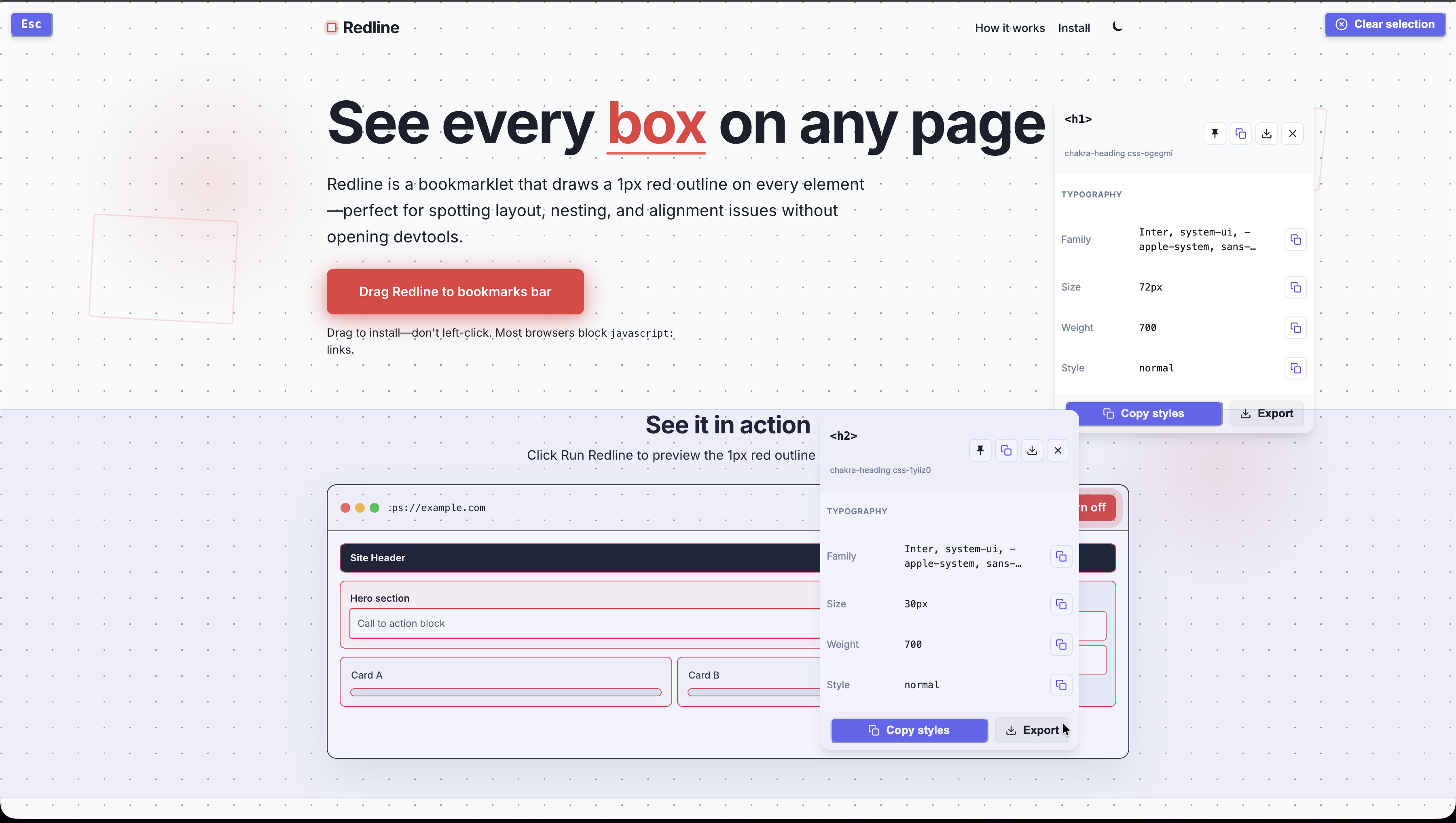
Every property, beautifully displayed
Font family, size, weight, spacing, colors, and more — all in one elegant inspector.
Font Family
Inter, sans-serif
Font Size
14px
Font Weight
400
Line Height
1.5
Letter Spacing
-0.01em
Color
#18181b
Padding
12px 16px
Border Radius
8px
CSS Selector
h1.hero-title
font-family: 'Inter', sans-serif;font-size: 14px;font-weight: 400;line-height: 1.5;letter-spacing: -0.01em;color: #18181b;Family
Inter
Size
14px
Weight
400
What users are saying
Real reviews from the Chrome Web Store — 5.0 average rating.
“Very clean, does what it says it does, and straightforward UX for multiple font inspection overlays.”
“I love how this helps me quickly understand how other websites are designed and built. It's easy to use, the UI looks great, and it's been really useful for both design inspiration and development.”
Start Inspecting Fonts Today
Install “Which Font?” and instantly discover typography details across the web.